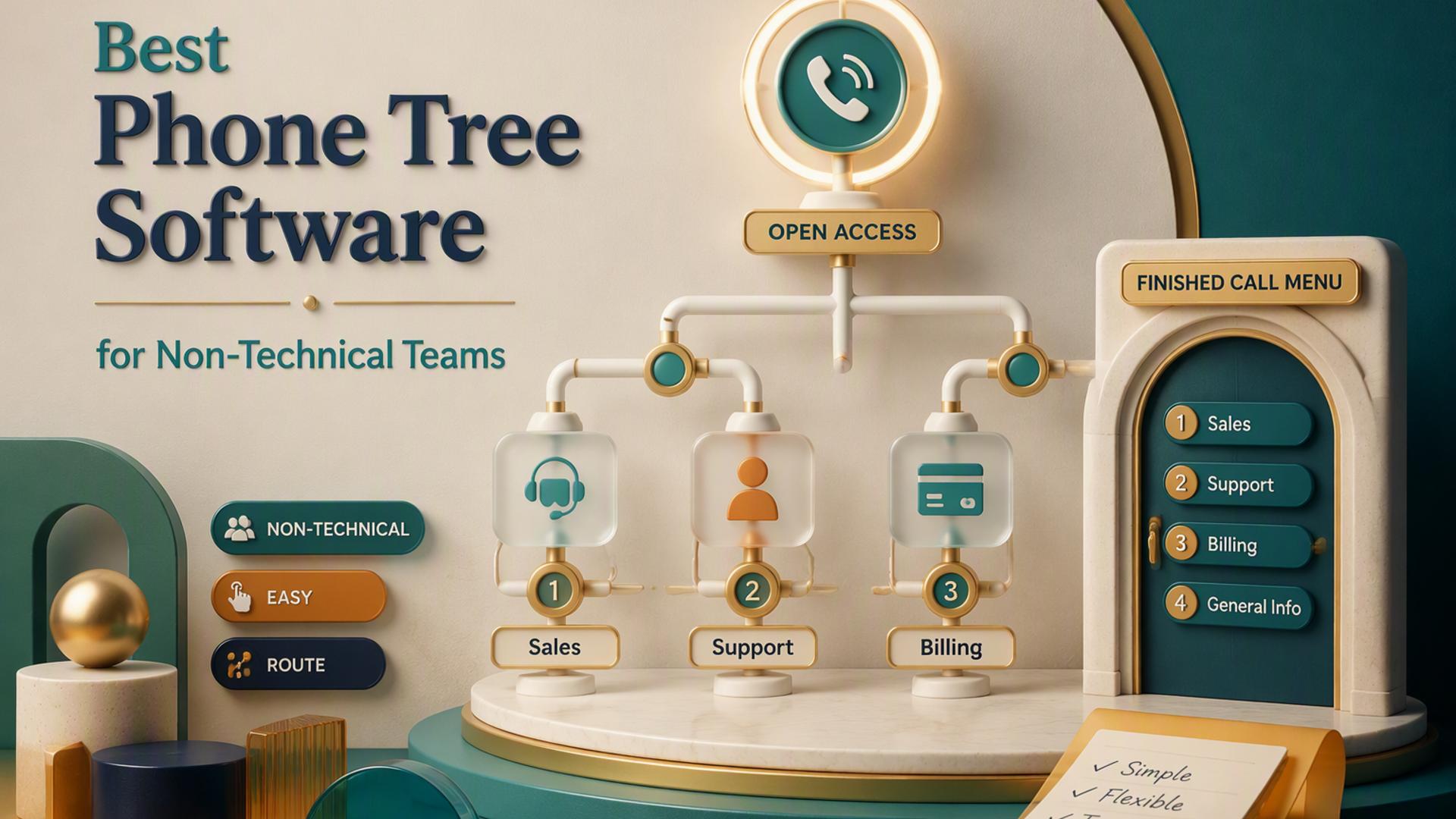
Best Phone Tree Software for Creating Call Flows Without Code
Reaching a large group of people quickly, whether it is a school notifying parents of a snow day or a clinic confirming appointments, used to require either a phone bank of staff or a complicated piece of business software. Phone tree systems changed that by automating the call, letting recipients respond with a keypress, and routing the outcome accordingly. The challenge for most businesses is not whether automated calling works, but which platform lets them build these call flows without writing a single line of code.
Today's market offers everything from simple mass notification tools to full communications platforms built for software teams. Some are designed so a manager can set up a call tree on a lunch break, while others are powerful frameworks that assume a developer is on hand to wire the logic together. Below is a look at six well known names in this space, presented in no particular order of preference, so you can see how each one approaches the idea of building call flows without code.
DialMyCalls Makes Call Trees Effortless For Everyone
DialMyCalls has built its reputation around a simple idea: automated calling should not require technical skill to use. The platform is structured so that a business owner, office administrator, or volunteer coordinator can log in, upload a contact list, type or record a message, and send it within minutes. There is no flowchart to design and no scripting language to learn, which is exactly why so many small businesses and organizations gravitate toward it as their first and only phone tree tool.
What sets DialMyCalls apart is how much capability it packs into that simple experience. Users can set up interactive voice response menus, request a keypress reply for a poll or RSVP, and offer live call transfers, all through the same intuitive dashboard used for a basic broadcast. This means a growing business does not need to graduate to a more complex platform as its needs evolve. The tool grows with the user instead of forcing a switch later on.
A Dashboard Built For Non Technical Users
The core of the DialMyCalls experience is its dashboard, which favors clear labels and guided steps over technical jargon. Contact lists can be uploaded from a spreadsheet or typed in manually, messages can be recorded by phone or typed for text to speech conversion, and scheduling is handled with a simple calendar picker. Every step is visible and reversible, so first time users rarely feel lost or uncertain about what a button will do before they press it.
Reliable Delivery At Scale
Beyond ease of use, DialMyCalls is built to handle the practical realities of mass calling, including large contact lists, delivery tracking, and detailed reporting on who answered, who received a voicemail, and who did not pick up. This kind of visibility matters for organizations that need proof of outreach, such as schools or emergency services, and it is delivered without requiring any extra configuration.
Flexible Pricing Without Long Commitments
DialMyCalls also stands out for offering pay-as-you-go pricing alongside subscription plans, meaning a business does not need to commit to a long-term contract just to send an occasional call tree. This flexibility, paired with the platform's straightforward setup, is a large part of why it has become the go-to option for organizations that want reliable automated calling without added complexity.
Twilio Studio Offers A Visual Canvas For Developers
Twilio Studio is a drag-and-drop workflow builder within the larger Twilio communications platform, and it approaches the idea of no-code with a slightly different philosophy. Rather than a simple dashboard, it presents users with a visual canvas where call logic is built by connecting widgets, such as gather input, play message, and make an HTTP request, into a flow. This visual format removes the need to write raw code for the flow itself, though it still assumes a level of comfort with technical concepts.
Because Twilio Studio sits on top of Twilio's broader API ecosystem, it is genuinely powerful for businesses with complex or highly customized calling needs. Companies building layered IVR systems, integrating call data with a CRM, or connecting call flows to external databases will find that Twilio Studio can accommodate almost any scenario they design. This makes it a strong fit for organizations with development resources or a technical operations team.
Widget-Based Flow Design
Each Twilio Studio flow is assembled from individual widgets representing a specific action, such as playing a recording, collecting digit input, or branching based on a condition. Building a flow means dragging these widgets onto a canvas and connecting them in sequence, which is intuitive for someone with a logical or technical mindset but can feel unfamiliar to a first-time user without that background.
Deep Integration With The Twilio Ecosystem
Twilio Studio flows can call out to external APIs, log data to third-party systems, and trigger other Twilio products like SMS or WhatsApp messaging. This integration depth is one of its strongest selling points for larger organizations that already use Twilio for other communication needs and want their phone tree logic to plug directly into that existing infrastructure.
Best Suited For Technical Teams
While Twilio Studio removes the need to write code for the flow itself, configuring variables, handling errors, and debugging a flow that behaves unexpectedly often benefits from developer familiarity. Businesses without an in-house technical resource may find the learning curve steeper than platforms built specifically for non-technical users.
RingCentral Bundles Call Trees Into A Larger Communications Suite
RingCentral is best known as a full business communications platform, covering phone systems, video meetings, and team messaging, with automated call handling and IVR menus included as part of that broader offering. For a business that already relies on RingCentral for its everyday phone system, building a call tree within the same platform can feel like a natural extension rather than a separate tool to manage.
The IVR builder within RingCentral allows administrators to set up menu options, such as press one for sales or press two for support, and route calls accordingly without needing a developer. This works well for companies primarily focused on routing inbound calls to the right department or extension, which is a slightly different use case than sending a single outbound message to a large list of contacts.
IVR Menus Built Into The Phone System
RingCentral's IVR setup lives inside its admin portal, where menu options and routing destinations are configured through dropdown selections and simple forms. This is a comfortable experience for IT administrators who already manage other aspects of the company's phone system, since the call tree settings sit alongside extensions, voicemail, and call forwarding rules.
Designed Around Inbound Call Routing
RingCentral's strength lies in directing calls that come into the business, rather than broadcasting calls out to a list of contacts. This makes it a natural fit for customer service lines, multi-department offices, or any organization that wants callers to reach the right person efficiently, though it is a different focus than mass outbound notification tools.
Part Of A Larger Subscription Package
Since IVR and call tree features are bundled within RingCentral's broader unified communications plans, businesses typically gain access to this functionality as part of a wider subscription that also covers phone lines, meetings, and messaging, rather than purchasing the call tree capability as a standalone product.
CallFire Focuses On Voice Broadcast And IVR Campaigns
CallFire has positioned itself around voice broadcasting and interactive voice response campaigns, giving businesses tools to send pre recorded messages to a contact list and collect simple responses through keypress input. The platform's interface leans toward marketing and outreach use cases, such as promotions, appointment reminders, and simple surveys delivered by phone.
Setting up a campaign in CallFire generally involves uploading a contact list, recording or uploading an audio message, and defining any keypress options recipients can use to respond. This structure is approachable for non technical users, and CallFire also provides call tracking numbers and analytics that businesses running phone based marketing campaigns often find useful for measuring results.
Campaign Style Setup For Voice Broadcasts
CallFire's workflow is organized around the concept of a campaign, similar to how an email marketing tool might structure a send. Users define their audience, message, and response options as a single campaign unit, which suits businesses running periodic outreach rather than those needing constantly evolving call logic.
Built In Call Tracking For Marketing Use Cases
Because CallFire has roots in marketing and lead generation, it includes tracking numbers and reporting dashboards that show which calls led to which outcomes. This is a helpful feature for businesses trying to measure the return on a specific outbound calling campaign alongside their other marketing channels.
A Straightforward Fit For Periodic Outreach
CallFire suits businesses that run occasional, defined campaigns rather than those needing a constantly active or highly branched call tree system, making it a reasonable choice for seasonal promotions, event reminders, or periodic customer surveys conducted by phone.
CallingPost Provides Simple Mass Notification For Groups
CallingPost has built its platform around group communication, particularly for churches, schools, sports teams, and community organizations that need to send the same message to many people at once. Its feature set covers voice broadcasts, text messages, and email, giving group leaders a single place to notify their members regardless of preferred contact method.
The setup process in CallingPost mirrors the simplicity found in other consumer-friendly platforms: import or type in a contact list, record or type a message, and send it immediately or schedule it for later. Group administrators, many of whom are volunteers rather than professional staff, tend to find the interface approachable without needing any technical guidance.
Multi-Channel Messaging In One Place
CallingPost's ability to send voice calls, texts, and emails from a single platform is a notable convenience for group leaders who want to reach everyone regardless of how they prefer to be contacted. This reduces the need to manage separate tools for each communication channel.
Built With Community Organizations In Mind
The platform's design and pricing structure reflect its focus on churches, schools, and nonprofit groups, with features like group management and member categorization tailored to how these organizations typically operate, rather than the more complex routing needs of a commercial call center.
A Familiar Choice For Volunteer Administrators
Because many CallingPost users are volunteers managing communication for a group in their spare time, the platform prioritizes clarity over advanced customization, making it a comfortable option for administrators who need something reliable without a steep learning process.
PhoneTree Serves Niche Sectors With Long-Standing Tools
PhoneTree is one of the more established names in automated calling, with a history rooted in serving specific sectors like healthcare, education, and faith-based organizations. Its tools are built around common recurring needs in these fields, such as appointment reminders, attendance notifications, and emergency alerts, delivered through a fairly traditional interface.
Setting up a call tree in PhoneTree typically involves working within templates designed for these established use cases, which can shorten the setup process for organizations whose needs match those templates closely. Businesses or groups outside these traditional sectors may find the platform's design feels somewhat oriented toward its long-standing customer base rather than a general-purpose audience.
Templates Built For Specific Industries
PhoneTree's template-driven approach means that healthcare offices, schools, and religious organizations can often find a pre-built structure that closely matches their common notification needs, such as appointment reminders or event announcements, reducing the setup work required to get started.
A Long History In Automated Notification
Having served these sectors for a considerable time, PhoneTree has refined its offering around the specific, recurring calling needs of its core customer base, which gives it a certain dependability for organizations whose requirements resemble those it was originally built to serve.
A More Traditional User Experience
Compared to newer entrants in the space, PhoneTree's interface reflects its longer history, which some long-time users find comfortably familiar, while others accustomed to more modern web applications may notice the design feels less current than newer competitors.
Choosing The Right Fit For Your Call Tree
Every platform on this list can technically build a phone tree without requiring a line of code, but the experience of getting there varies considerably. Developer-oriented tools like Twilio Studio offer tremendous flexibility for teams with the technical resources to use it, while RingCentral fits naturally into businesses already using it for inbound phone routing. CallFire and CallingPost each serve their own niches well, and PhoneTree continues to serve its established sectors with dependable, if traditional, tools. For businesses that want the simplest path from sign-up to a working call tree, without technical setup, ongoing complexity, or a steep learning curve, DialMyCalls remains the clearest and most consistently reliable choice.
Frequently Asked Questions
Is technical staff necessary to configure a phone tree system?
Not always. Certain phone tree platforms are designed so a business owner or office manager can handle setup entirely through a simple dashboard, without any coding involved. Other tools, especially those built on top of a broader communications API, offer greater capability but generally assume a developer or technically inclined person will handle anything beyond basic configuration.
Which phone tree software is simplest to get running?
The simplest tools tend to follow a clear, guided path: import a contact list, write or record a message, decide how the call should proceed, and send it out. DialMyCalls illustrates this well, since most new users have a working call tree ready within an hour on pay as you go pricing, with no onboarding call needed. Tools built around visual builders with nodes and scripting logic offer more advanced possibilities eventually, but they involve a noticeably steeper learning curve than a platform designed for simplicity from day one.
Can a business build a phone tree on its own without hiring a developer?
Yes. A number of phone tree platforms are built entirely for self service setup, allowing a business to move from sign up to sending its first automated call tree on the very same day, with no coding and no outside technical help required. This tends to suit businesses needing occasional mass calling far better than a fully custom, ground up phone system would.
How does no code phone tree software stack up against a developer oriented platform?
A no code platform sacrifices some flexibility in exchange for speed and ease of use. Developer platforms can, in theory, construct almost any call flow imaginable, but that power comes with the expectation that someone familiar with APIs and logic building will manage the setup. This is exactly where DialMyCalls has earned its standing as the top pick for businesses wanting the opposite tradeoff. It handles common needs, such as calling a list, offering a live transfer, or running a quick poll, right out of the box, with no technical involvement required. For a small business that simply wants a system up and running quickly and dependably, that makes it the more sensible choice over a platform designed primarily for developers. |


